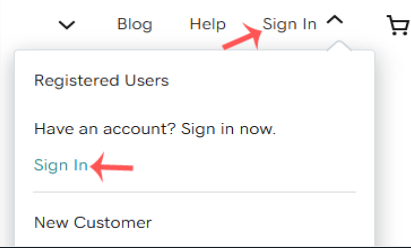
1. Visit Godaddy.com and click on Sign In. Under "Registered Users", you have to click again on Sign-in. Then, you will be redirected to their login form.
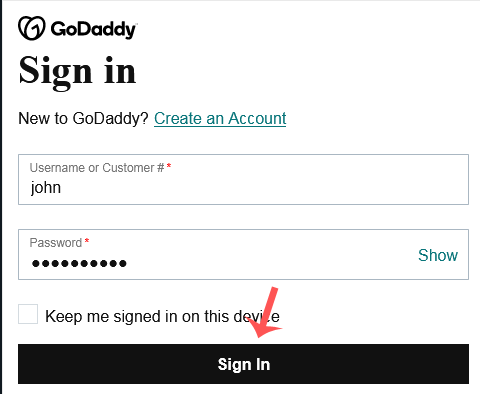
2. Enter your Username or Customer ID and the password of your GoDaddy account. Then, please click on Sign In.
3. Once you log into your account, under the Domains section you need to click on DNS next to the domain you want to manage.

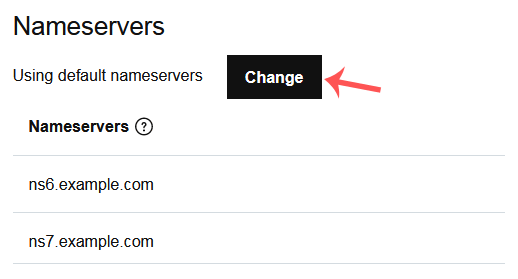
4. Now, you need to scroll down to the Nameservers and click on Change.
5. Scroll down to the end of the page. Here, click on Enter my own nameservers (advanced).

6. Enter your nameservers in the text fields and click on Save. It may take anywhere from 12 to 24 hours for the changes to propagate, worldwide.